---
title: 向终端客户发送 Verification Portal 链接
url: https://platform.claude.com/docs/zh-CN/manage-claude/user-profiles-verification-portal
description: 为用户配置文件创建注册链接,了解您的终端客户在 Verification Portal 中的操作,并在之后查看哪些计划适用于该配置文件。
---
Anthropic 运营着一些计划,组织可以在 Verification Portal(验证门户)中申请这些计划。为了让终端客户通过您的平台使用 Claude 时其获得的批准能够生效,终端客户需要在门户中将其用户配置文件关联到自己的 Anthropic 组织。由您发起这一流程:为该配置文件创建一个注册链接,并将其提供给终端客户。
"User profile"(用户配置文件)用于告知 Anthropic 每个 API 请求是为您的哪位终端客户发出的。您需要为每位终端客户创建一个用户配置文件,并在为其发出的每个请求中发送该配置文件的 `uprof_` ID。必须先有配置文件,才能为其创建链接。要创建配置文件,请参阅[用于终端客户归属的用户配置文件](https://platform.claude.com/docs/zh-CN/manage-claude/user-profiles)。
如果您只需要归属功能,或者您的组织未启用创建注册链接的功能,则可以跳过本页。
## 创建链接
要为配置文件创建注册链接,请调用 `POST /v1/user_profiles/{id}/action_urls`,并在路径中提供该配置文件的 ID。在请求体中,请将 `action.type` 设置为 `enroll_end_user`。
如果您的组织未启用创建注册链接的功能,该调用会返回 `404`。这与找不到配置文件 ID 时返回的状态相同,因此请先检查 ID。
```bash cURL
curl https://api.anthropic.com/v1/user_profiles/uprof_011CZkZCu8hGbp5mYRQgUmz9/action_urls \
-H "x-api-key: $ANTHROPIC_API_KEY" \
-H "anthropic-version: 2023-06-01" \
-H "content-type: application/json" \
-d '{"action": {"type": "enroll_end_user"}}'
```
```bash CLI
ant user-profiles:action-urls create \
--user-profile-id uprof_011CZkZCu8hGbp5mYRQgUmz9 \
--action '{type: enroll_end_user}'
```
```python Python
client = anthropic.Anthropic()
action_url = client.user_profiles.action_urls.create(
"uprof_011CZkZCu8hGbp5mYRQgUmz9",
action={"type": "enroll_end_user"},
)
print(action_url.url)
```
```typescript TypeScript
const client = new Anthropic();
const actionURL = await client.userProfiles.actionURLs.create(
"uprof_011CZkZCu8hGbp5mYRQgUmz9",
{ action: { type: "enroll_end_user" } }
);
console.log(actionURL.url);
```
```csharp C#
using Anthropic.Models.UserProfiles.ActionUrls;
AnthropicClient client = new();
var actionUrl = await client.UserProfiles.ActionUrls.Create(
"uprof_011CZkZCu8hGbp5mYRQgUmz9",
new() { Action = new UserProfileEnrollEndUserAction() }
);
Console.WriteLine(actionUrl.Url);
```
```go Go
client := anthropic.NewClient()
actionURL, err := client.UserProfiles.ActionURLs.New(
context.Background(),
"uprof_011CZkZCu8hGbp5mYRQgUmz9",
anthropic.UserProfileActionURLNewParams{
Action: anthropic.UserProfileActionUnionParam{
OfEnrollEndUser: &anthropic.UserProfileEnrollEndUserActionParam{},
},
},
)
if err != nil {
log.Fatal(err)
}
fmt.Println(actionURL.URL)
```
```java Java
import com.anthropic.models.userprofiles.actionurls.ActionUrlCreateParams;
import com.anthropic.models.userprofiles.actionurls.UserProfileEnrollEndUserAction;
void main() {
AnthropicClient client = AnthropicOkHttpClient.fromEnv();
var params = ActionUrlCreateParams.builder()
.userProfileId("uprof_011CZkZCu8hGbp5mYRQgUmz9")
.action(UserProfileEnrollEndUserAction.builder().build())
.build();
var actionUrl = client.userProfiles().actionUrls().create(params);
IO.println(actionUrl.url());
}
```
```php PHP
$client = new Client();
$actionURL = $client->userProfiles->actionURLs->create(
'uprof_011CZkZCu8hGbp5mYRQgUmz9',
action: ['type' => 'enroll_end_user'],
);
echo $actionURL->url, PHP_EOL;
```
```ruby Ruby
client = Anthropic::Client.new
action_url = client.user_profiles.action_urls.create(
"uprof_011CZkZCu8hGbp5mYRQgUmz9",
action: { type: :enroll_end_user }
)
puts action_url.url
```
响应中包含该链接及其失效时间:
```json
{
"type": "user_profile_action_url",
"url": "https://portal.anthropic.com/enroll?enrollment_token=...",
"expires_at": "2026-03-15T11:00:00Z"
}
```
该链接在 `expires_at` 中的时间之前有效,大约为创建后一小时。请在终端客户需要时再创建链接,例如当他们点击您产品中的某个按钮时,而不要提前创建并放在他们可能稍后才阅读的电子邮件中。在链接过期之前,他们可以多次打开该链接。如果链接已过期,请创建一个新链接:每次调用都会返回一个新的链接。创建新链接不会使之前的链接失效。
任何持有该链接的人都可以在其过期前使用它,因此请只将其提供给对应的终端客户。请将其发送给终端客户 Anthropic 组织的管理员或所有者,因为只有管理员或所有者才能关联配置文件。不要解析该 URL,也不要自行构建 URL。其格式可能会发生变化。
如果您使用的是 Claude Platform on AWS,请改用 `POST /v1/user_profiles/{id}/enrollment_url` 创建链接,并发送 `anthropic-beta: user-profiles-2026-08-18` 标头。该请求不需要请求体,响应包含相同的 `url` 和 `expires_at` 字段。在 SDK 和 CLI 中,该调用位于 beta 命名空间中:`client.beta.user_profiles.create_enrollment_url()` (typescript: `client.beta.userProfiles.createEnrollmentURL()`; csharp: `client.Beta.UserProfiles.CreateEnrollmentUrl()`; go: `client.Beta.UserProfiles.NewEnrollmentURL()`; java: `client.beta().userProfiles().createEnrollmentUrl()`; php: `$client->beta->userProfiles->createEnrollmentURL()`; cli: `ant beta:user-profiles create-enrollment-url`)。
`POST /v1/user_profiles/{id}/action_urls` 在 Microsoft Foundry 上不可用。
## 终端客户看到的内容
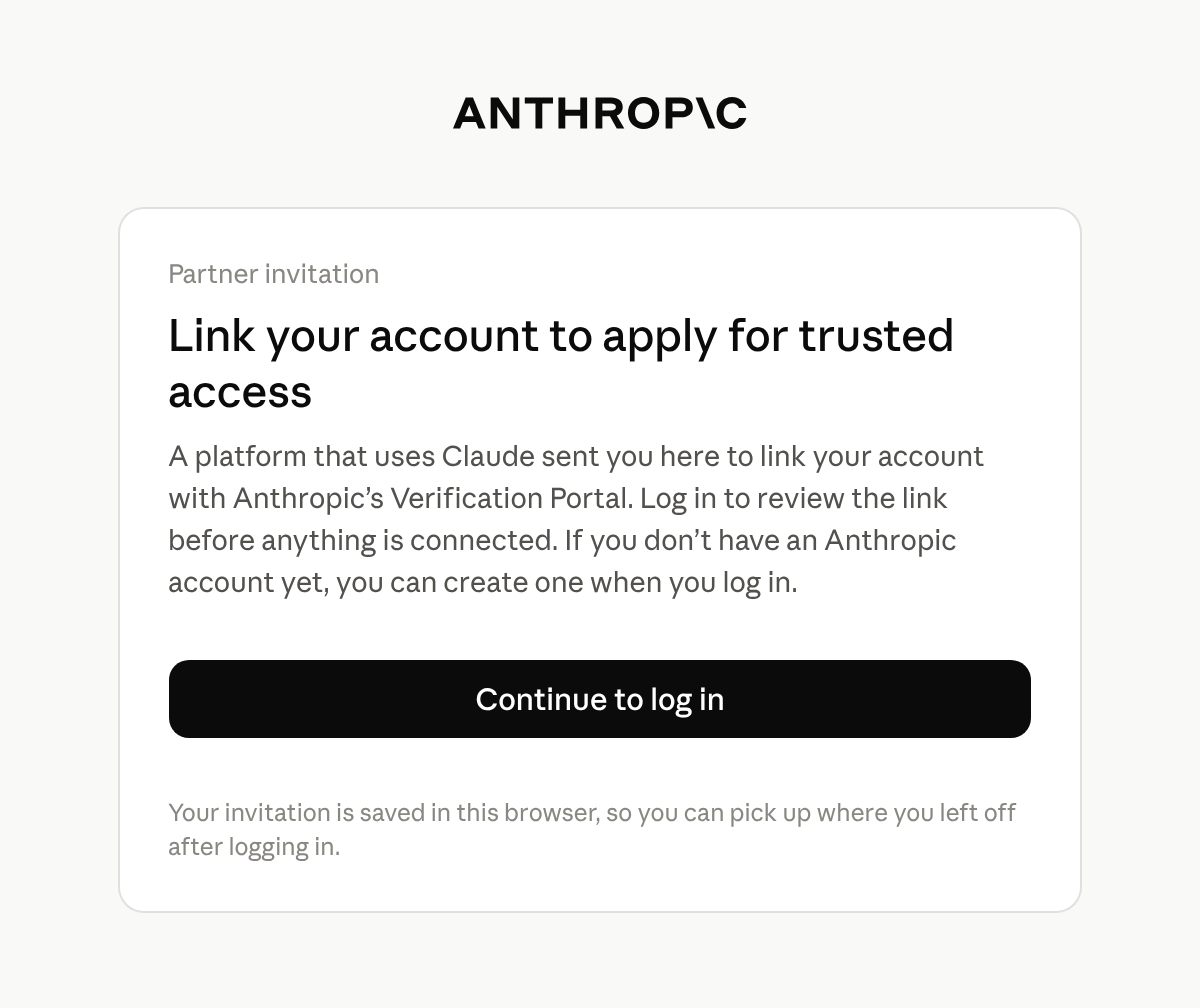
该链接会打开 Anthropic 位于 `portal.anthropic.com` 的 Verification Portal。终端客户登录后,门户会向其显示您的 Anthropic 组织名称以及该配置文件的 ID。
终端客户使用 Anthropic 账户登录:可以是他们已在 Claude Console 或 claude.ai 中使用的账户,也可以是在此步骤中新创建的账户。门户会保持自己独立的登录会话,与 Claude Console 和 claude.ai 分开。如果他们属于多个组织,则需要选择要关联的组织。
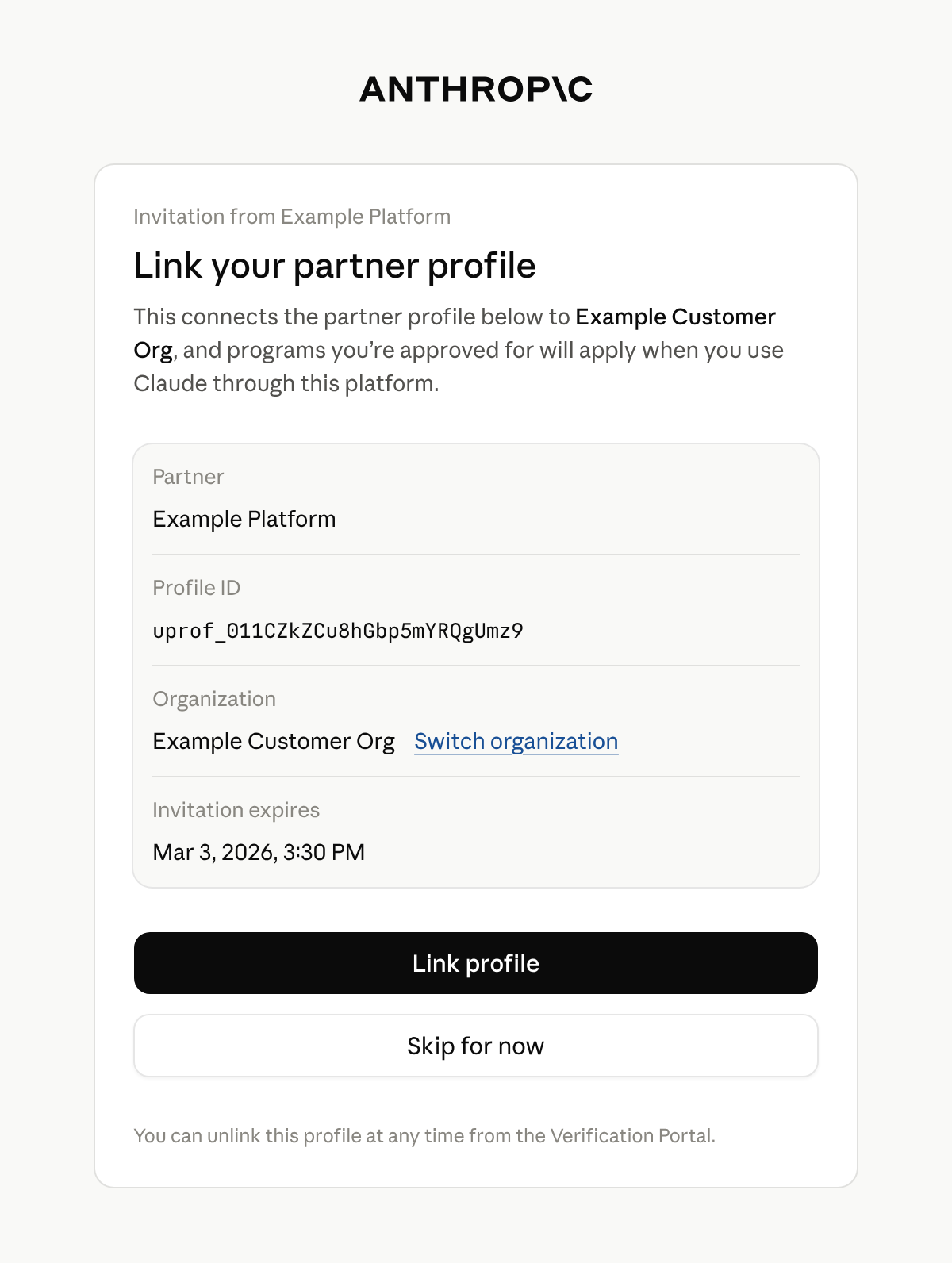
门户会显示一张标题为 **Link your partner profile** 的卡片。卡片上列出您的平台、配置文件的 ID、终端客户的组织以及邀请的过期时间。终端客户选择 **Link profile** 表示接受,或选择 **Skip for now** 以在不关联的情况下继续进入门户。
只有组织的管理员或所有者才能关联配置文件。其他人会看到 **Admin access needed**,并且无法关联该配置文件。他们可以切换到自己担任管理员或所有者的组织。否则,请告知终端客户,必须由其 Anthropic 组织的管理员或所有者打开该链接。
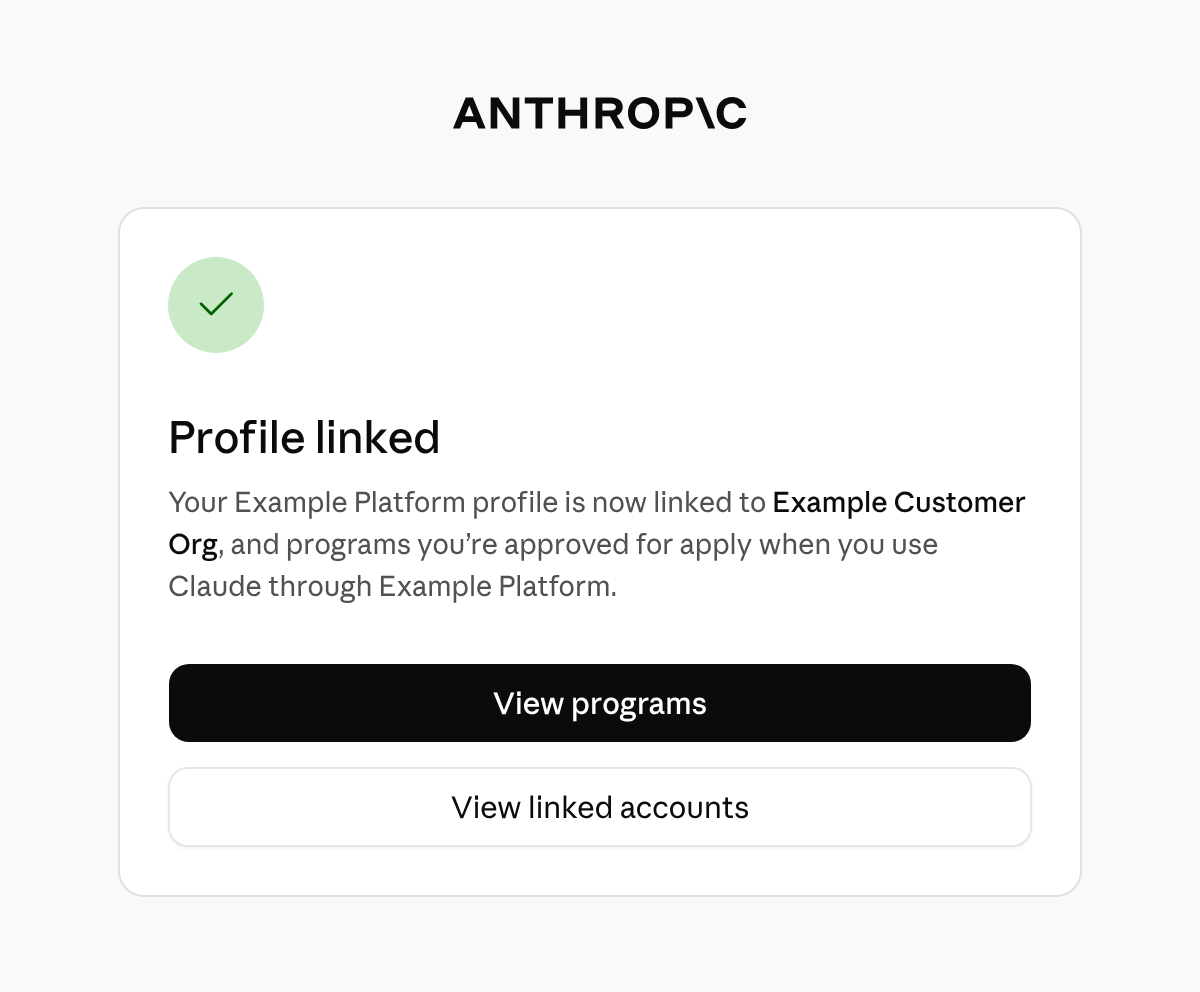
门户会显示 **Profile linked** 以确认关联成功。终端客户会留在门户中,可以在其中查看其组织可用的计划并进行申请。
如果管理员或所有者打开链接并登录时链接已过期,门户会显示 **This invitation has expired**,并告知他们向您索取新链接。
一个配置文件只能关联到一个组织。如果它已关联到其他组织,门户会显示 **This partner profile is already linked to a different organization**,并且不会进行关联。该配置文件所关联组织的管理员或所有者可以在门户的 **Linked accounts** 下取消关联。之后,请创建一个新链接并发送给终端客户。
## 终端客户关联配置文件之后
门户不会将终端客户引导回您的产品,Anthropic 也不会通知您。请在您自己的界面中告知终端客户完成后返回。
关联本身并不会批准任何内容。它将配置文件连接到终端客户的组织,从而使该组织已获批准的计划适用于携带该配置文件 ID 的请求。配置文件中没有表示其已关联的字段。
要查看哪些计划适用于某个配置文件,请[检索该配置文件](https://platform.claude.com/docs/zh-CN/api/beta/user_profiles/retrieve)并读取 `programs`。它为每个计划提供一个键,例如 `cyber` 和 `efs`,并且每个配置文件都包含所有键。每个键的值为以下之一:
* `null`:Anthropic 没有该计划的状态可报告。如果 Anthropic 尚未为您的组织启用计划,则所有键均为 `null`。
* 一个对象:当 Anthropic 已批准终端客户参加该计划时,其 `status` 为 `active`,否则为 `pending` 或 `rejected`。
终端客户可以在门户的 **Linked accounts** 下看到已关联的配置文件。
如果您的推理在 Claude in Amazon Bedrock 或 Google Cloud 上运行,您还必须关联您自己的账户。只有在您将 AWS 账户或 Google Cloud 项目关联到创建您配置文件的 Anthropic 组织之后,计划才会适用于来自该账户或项目的请求。请参阅[在 Amazon Bedrock 和 Google Cloud 上归属请求](https://platform.claude.com/docs/zh-CN/manage-claude/user-profiles#attribute-requests-on-amazon-bedrock-and-google-cloud)。
## 后续步骤
有关检索到的配置文件所包含的每个字段,请参阅[检索配置文件](https://platform.claude.com/docs/zh-CN/api/beta/user_profiles/retrieve)参考文档。
要创建配置文件、在请求中发送其 ID 并保持其最新状态,请参阅[用于终端客户归属的用户配置文件](https://platform.claude.com/docs/zh-CN/manage-claude/user-profiles)。